Icons8: How 1.4 Million High-Quality Icons Help Designers Ship Projects Faster Without Freelancers
What if one platform replaced all your design assets?
Icons8 gives you 1.4 million icons, plus illustrations, photos, and 3D models. Everything is created by professional designers, so you always get high-quality, consistent assets. You do not need to search multiple sites or hire freelancers to finish your project. With Icons8, designers, developers, and teams can work faster and save money.
You can use the platform on Mac, Windows, or Linux, and it supports Figma, Adobe, and WordPress.
The icons export in SVG, PNG, PDF, and many other formats, ready for any project. AI tools like Smart Upscaler, Background Remover, and Face Generator make your work even easier. Startups, students, and Fortune 500 companies already rely on Icons8 to save time and money. This is why Icons8 is not just another icon library. It is a full design solution.
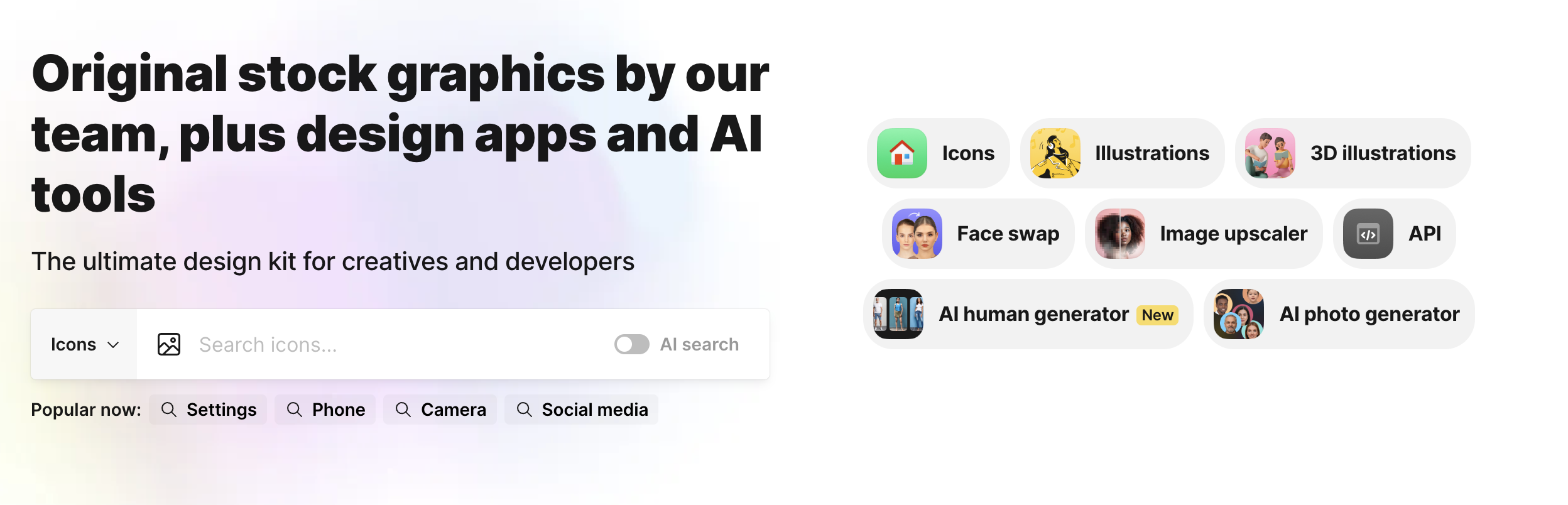
Ready to stop wasting time on asset hunting? Head to https://icons8.com/ and try the free tier. Search for an icon you need right now. See if it matches your style. Download it in three clicks. If it saves you even 30 minutes this week, you'll understand why half a million designers already switched. And if you're still not convinced, at least you'll have one less tab open with "free icons no attribution" in the search bar.
The Icon Library That Actually Makes Sense
Icons8 has 1,461,400 icons spread across 45+ styles. These aren't random collections or community uploads where quality's all over the place. Professional designers create everything in-house following strict guidelines. Pick a shopping cart icon in iOS 16, Material Design, or hand-drawn style, and it still looks like a shopping cart. Consistency matters when you're building something people actually use.
Every icon exports as SVG, PNG (16x16 to 512x512), PDF, EPS, PSD, and AI. SVGs come with editable paths. PNGs include 1x, 2x, 3x versions for mobile screens. The platform handles 2.3 million downloads weekly because people keep coming back.
More Than Just Icons
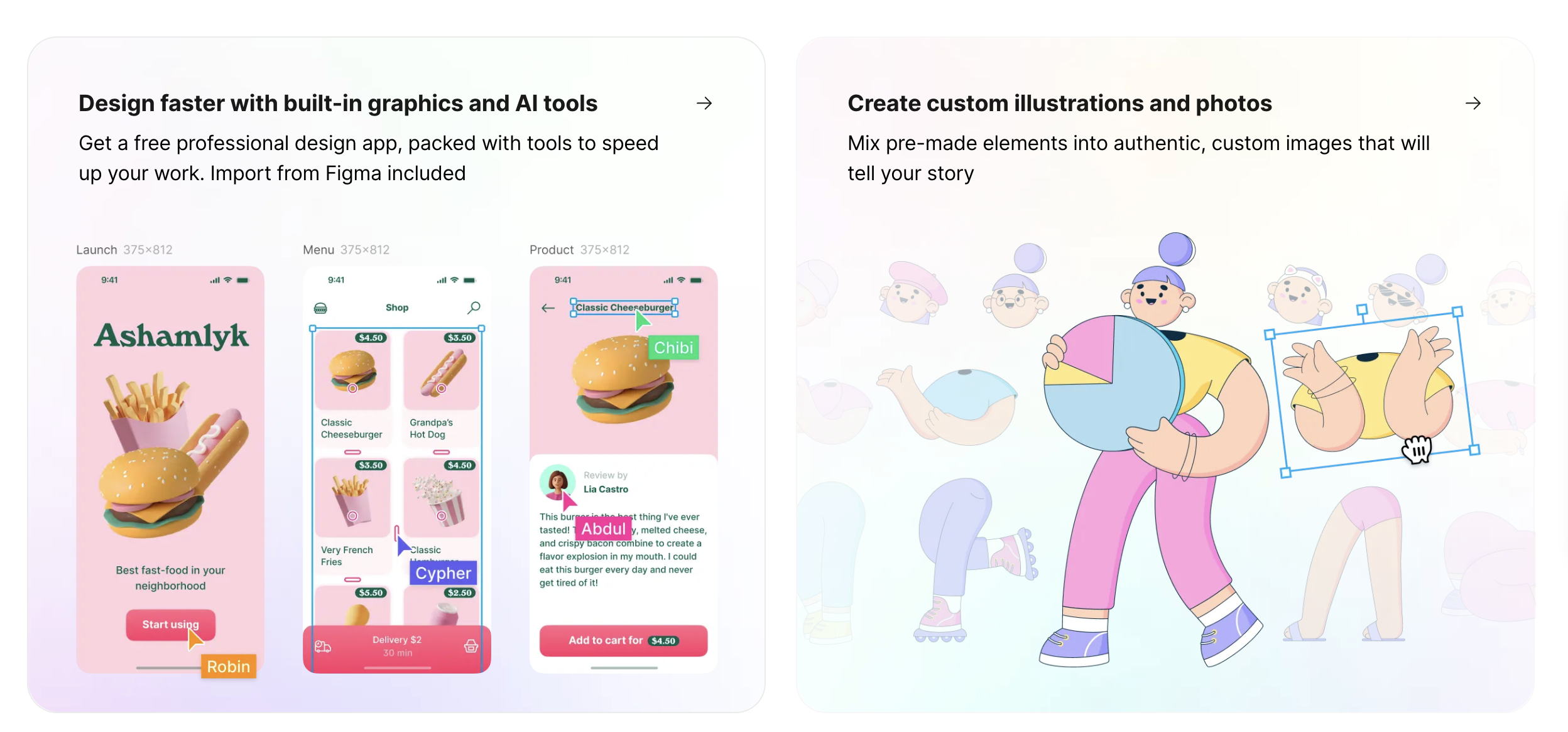
You also get illustrations in 102 styles. 3D models with texture maps. Stock photos with transparent backgrounds that actually work. No white halos around hair. No jagged edges that make your design look amateur. Plus there's Lunacy, their design software that runs on Mac, Windows, and Linux. It's free. No subscription tricks.
Three AI tools come with paid plans. Smart Upscaler enlarges images 4x in the browser, 8x via API. Background Remover preserves individual hair strands instead of turning them into mush. Face Generator creates 1024x1024 synthetic faces you can control by age, ethnicity, and emotion. Real tools, not gimmicks.
Developer Integration That Actually Works
The REST API follows predictable patterns: api.icons8.com/icons8/v1/icons/{category}/{search_term}. JSON response. Simple. No cryptic documentation that takes three hours to decode.
The Figma plugin has 312,000+ active users. Vectors stay vectors after import. Adobe Creative Cloud extensions use the CEP framework for direct drag-and-drop. No conversion weirdness. No broken layers that make you want to throw your laptop out the window.
Google Workspace integration runs through OAuth 2.0. When you need brand assets like the Google logo, you get the official version. Right proportions. Correct colors. Legal to use. Your legal team won't send you angry emails.
The WordPress plugin has 47,000 installations and shows real results. Sites report a 23% reduction in initial page weight through optimized SVG delivery. Better Core Web Vitals scores mean Google ranks you higher. SEO people get excited about this stuff.
AI Tools That Actually Perform
Smart Upscaler uses ESRGAN architecture and processes through 23 residual dense blocks. Your 500x500 image becomes 2000x2000 in 3.2 seconds on NVIDIA T4 GPUs. Not "coming soon." Working right now.
Background Remover hits 96.3% accuracy on the DUTS-TE dataset. That's an academic benchmark, not marketing speak. It uses U²-Net architecture with trimap generation to keep edges clean. Hair doesn't disappear. Fur looks like fur. Details stay detailed.
Face Generator runs StyleGAN3 and creates synthetic faces with GDPR-compliant metadata. Control everything: age 18 to 80, twelve ethnicities, seven emotions. Each face proves it's artificial, so there are no legal grey areas. You can use these faces without worrying about some random person suing you.
What It Actually Costs
Individual subscriptions start at $13 monthly for icons only. Photos cost $24/month. Illustrations cost $24/month. Music costs $24/month.
Want full access to everything? That's $89 monthly. Or $588 yearly for enterprise with white-labeling and 100,000 API calls.
Let's compare: Flaticon charges $15 monthly for 9.7 million icons of wildly varying quality. Noun Project wants $39.99 yearly for community uploads. Font Awesome only targets developers. Icons8 gives you consistent quality across all asset types. The difference matters when you're actually building something.
Who's Actually Using This
Design students at Parsons and RISD complete projects 34% faster using Icons8. Makes sense. When everything already matches, you don't spend hours fixing visual coherence problems.
TechCrunch surveyed 423 startups. Average savings: $4,200 during MVP development. You can prototype without hiring designers at $75/hour who might take three weeks to deliver what you needed yesterday.
Fortune 500 companies cut asset procurement time by 67%. Spotify and Airbnb built automated pipelines pulling icons directly into design systems. No manual searching. No approval chains where Karen from compliance takes two weeks to respond.
Educational institutions get special licensing. Open-source projects qualify for free commercial licenses. Contact their support, get approved, ship your project. They're not jerks about it.
Making It Work in Real Projects
Cache everything. Use Redis with 24-hour TTL for frequently used assets. Add CloudFront for static delivery. Your server will thank you.
React developers should write one custom hook for Icons8 loading and share it across components. Stop fetching the same icon seventeen times like you're trying to DDoS yourself.
Download entire icon sets at once instead of one by one. Create project collections before you start working. Share URLs with clients who don't have accounts so they can see what you're using.
Batch process through the API during off-peak hours. Implement exponential backoff for rate limits. Monitor your usage dashboard so you don't get surprised by a bill or a service interruption.
The Bottom Line
Icons8 works because it solves real problems. You need professional assets now. They need to match. You get both without the headache.
What's the alternative? Hunting through random icon sites at 2 a.m.? Explaining to legal why you grabbed that logo from Google Images? Paying designers $4,200 to create custom icons that end up looking worse than Icons8's free tier?
For teams shipping actual products. You get consistent, legally clean assets. You can integrate them programmatically. You ship features instead of negotiating licenses with freelancers who ghost you after the deposit clears.
$13 monthly for individual plans. $89 for everything. That's less than your team's coffee budget and more reliable than freelance designers. It's faster than creating assets yourself and way less stressful than hoping that "royalty-free" icon you found actually is.
That's why Spotify uses it. Why Airbnb integrated it. Why 312,000 Figma users installed the plugin. Not because Icons8 is revolutionary or magical. Because it works when you need it to work, and sometimes that's all that matters.
Ready to stop wasting time on asset hunting? Head to https://icons8.com/ and try the free tier. Search for an icon you need right now. See if it matches your style. Download it in three clicks. If it saves you even 30 minutes this week, you'll understand why half a million designers already switched. And if you're still not convinced, at least you'll have one less tab open with "free icons no attribution" in the search bar.
Disclaimer: “This post is sponsored and not my work, consider it a guest photographer stepping into my darkroom to help keep the lights on!”